Product
Client Portal Sub and Supplier Portals Project Control Automation Templates Integrations
Learn
How It Works Why Best-of-Class Smartsheet Manual FAQ AI Truth
Company
Pricing About Login
Automation

The reminders go out without you.

Selection alerts, new document notices, and a Monday report. Read from your Smartsheet. You do nothing extra.

Works with Smartsheet

How It Works

Builder works in Smartsheet. AXIOM handles the rest.

Move a date, add a document, update a selection. Once a day, AXIOM reads your sheets and sends the emails that are due. Alerts go out only on jobs where the Alerts switch is on.

Escalation

Selection Deadline Alerts

Due in 7 days. Due in 3 days. Overdue days 0 to 2, homeowner only. Days 3 to 4, homeowner and builder. Day 5 and on, urgent, homeowner and builder.

Weekly

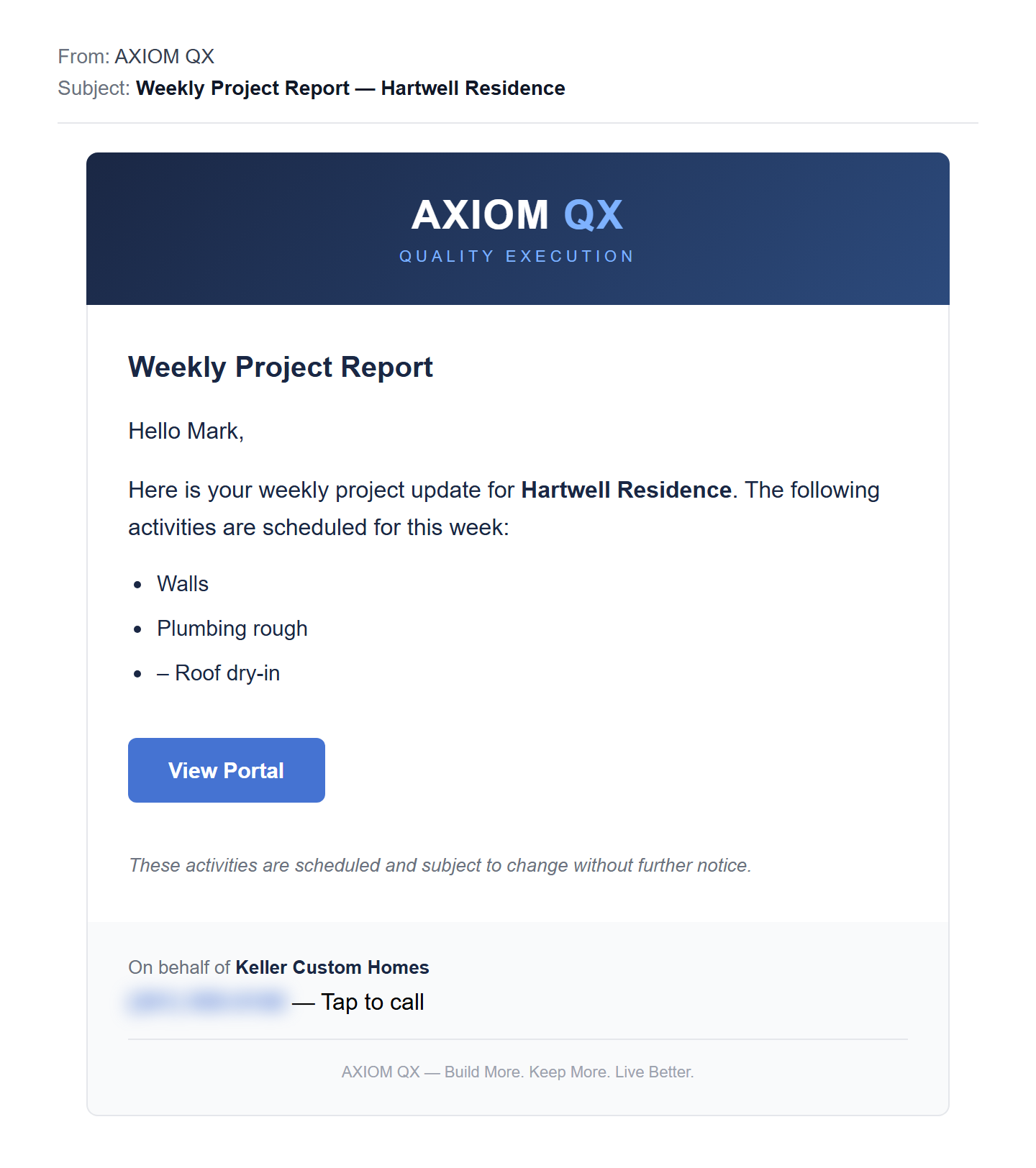
Monday Morning Report

Every Monday morning, clients get next week's scheduled work from your Gantt. Needs the job's Weekly Report switch on. Subject to change.

Daily

Document Notifications

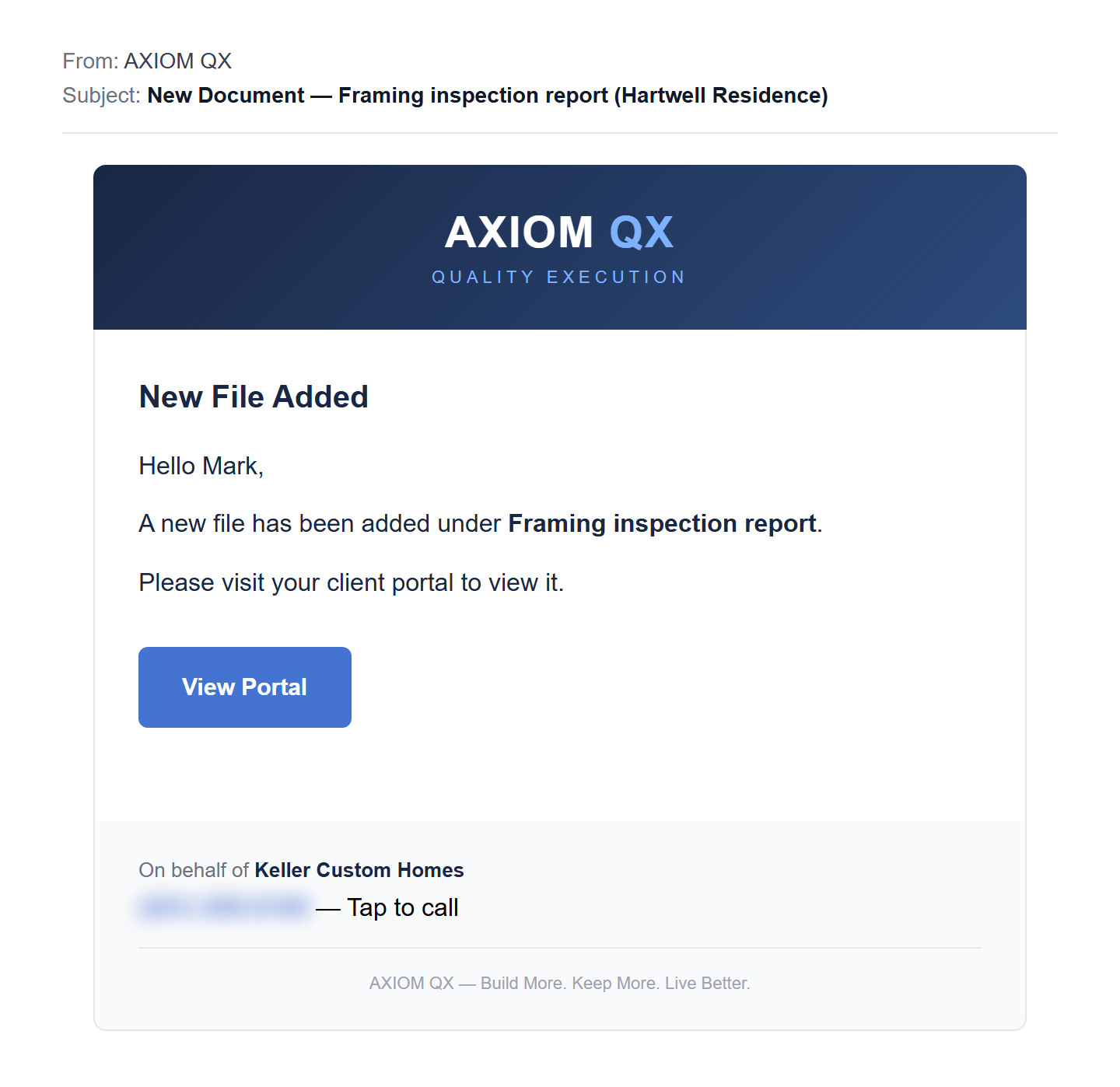
Add a file to the job. The client gets one email about it in the next daily run. No follow-up calls.

Control

Switches Per Job

Each job has its own Alerts and Weekly Report switches in Project Control. Turn them on when the client is ready.

Confirmation

Completion Emails

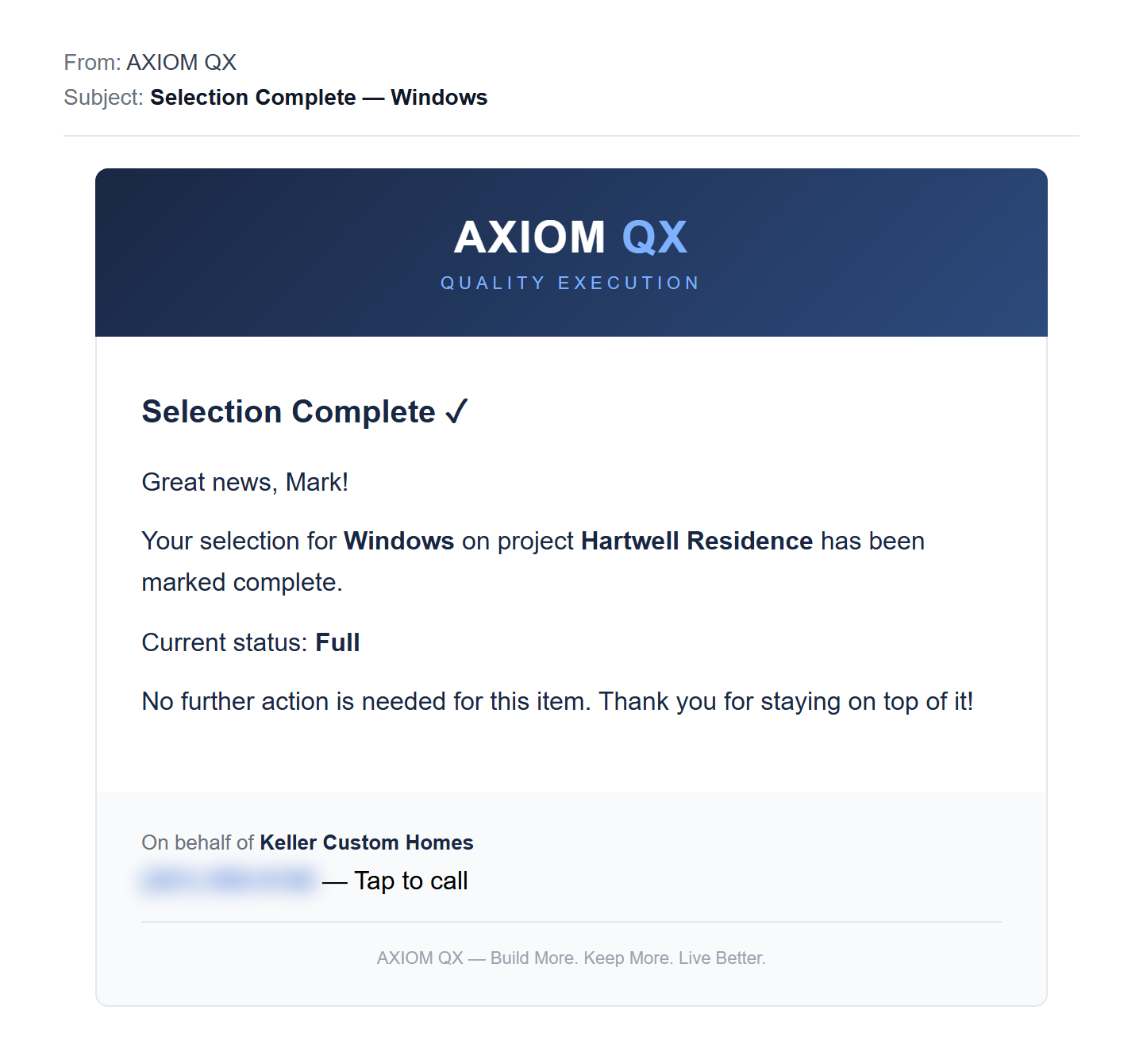
When a selection is done, the client gets a "selection complete" email. That closes the loop.

Safety

Duplicate Prevention

Each alert is sent once per selection per step. No duplicates. Subs and suppliers only get their invite email, never automated schedule emails.

Selection Alerts

Five steps. Checked once a day.

From the first heads-up to urgent. The homeowner hears first. You're copied once it's 3 days late.

  • Step 1: due in 7 days
  • Step 2: due in 3 days
  • Step 3: overdue days 0 to 2, homeowner only
  • Step 4: overdue days 3 to 4, homeowner and builder
  • Step 5: overdue 5+ days, urgent, homeowner and builder
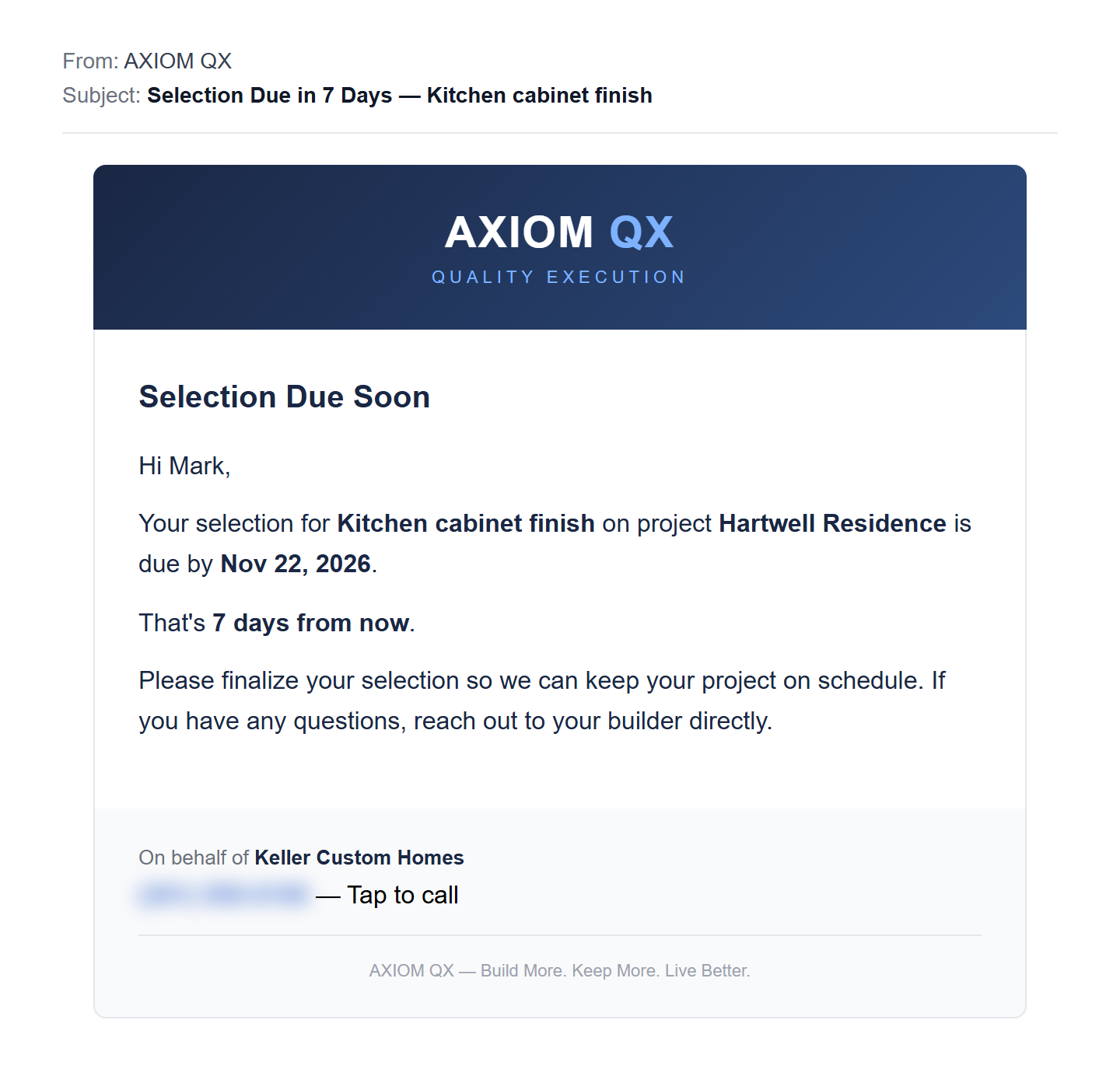
Selection reminder email: a selection is due in 7 days
Weekly Report

Every Monday morning.

Clients get next week's scheduled work from your Gantt. No promises, just visibility. Turn it on per job with the Weekly Report switch.

Weekly project report email listing the work scheduled for the week
Document Notifications

Add a file to the job. The client gets an email about it.

  • One email per new file
  • Sent in the once-a-day run, not the moment you add it
  • The file shows in the client's portal
  • Fewer "did you get this?" calls
New file added email with a View Portal button
Selection Confirmed

A closing email when a selection is done.

When a selection is marked complete, the client gets a "selection complete" email in the daily run. That closes the loop and cuts the back-and-forth.

  • Sent when the selection is complete
  • Needs the job's Alerts switch on
  • Sent once per selection
Selection complete email confirming the item is done

Ready to run your operation like a system?

30 days free. Card required at sign-up. Nothing charged until day 31.

Start your free trial