Product
Client Portal Sub and Supplier Portals Project Control Automation Templates Integrations
Learn
How It Works Why Best-of-Class Smartsheet Manual FAQ AI Truth
Company
Pricing About Login
Project Control

Project Control

One page per job. Client, property, payment schedule, notices, documents, change orders, credits and selections.

Home shows every job at once. Project Control opens one job and puts everything about it on one page.
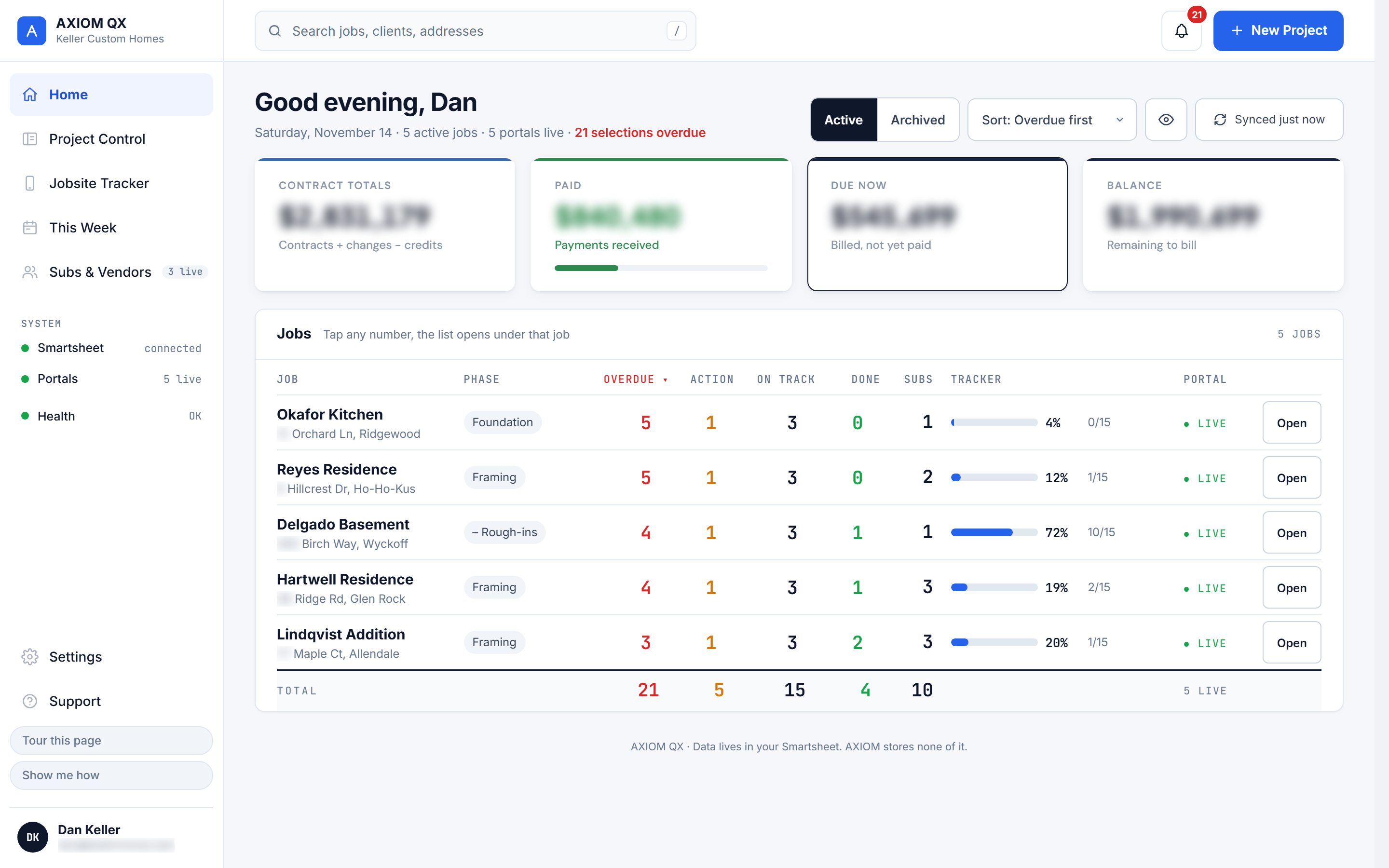
Home screen: every job with contract totals, paid, due now and balance, selections by status, tracker progress and portal status
Client Tab

Client and Property

Your client's contact info and the property details. Edit them here and save to your sheet.

Client Tab

Payments, Change Orders and Credits

The payment schedule, every change order and every credit for the job. Mark what is paid.

Client Tab

Notices and Documents

Post notices your client sees in the portal. Add or remove the job's documents.

Client Tab

Selections

Every selection for the job, with a count of what is overdue, needs action, is on track or is complete.

Client Tab

Jobsite Activity

What has been updated on the job, so you are not guessing.

Subs & Vendors Tab

Who Is on the Job

Every sub and supplier on the job, with their email and whether their portal is on.

Jobsite Tracker

Your super updates the schedule from his phone.

He signs in with his email and a PIN, picks the job, and taps a stage on each task. Changes add up until he presses Save to Smartsheet once.
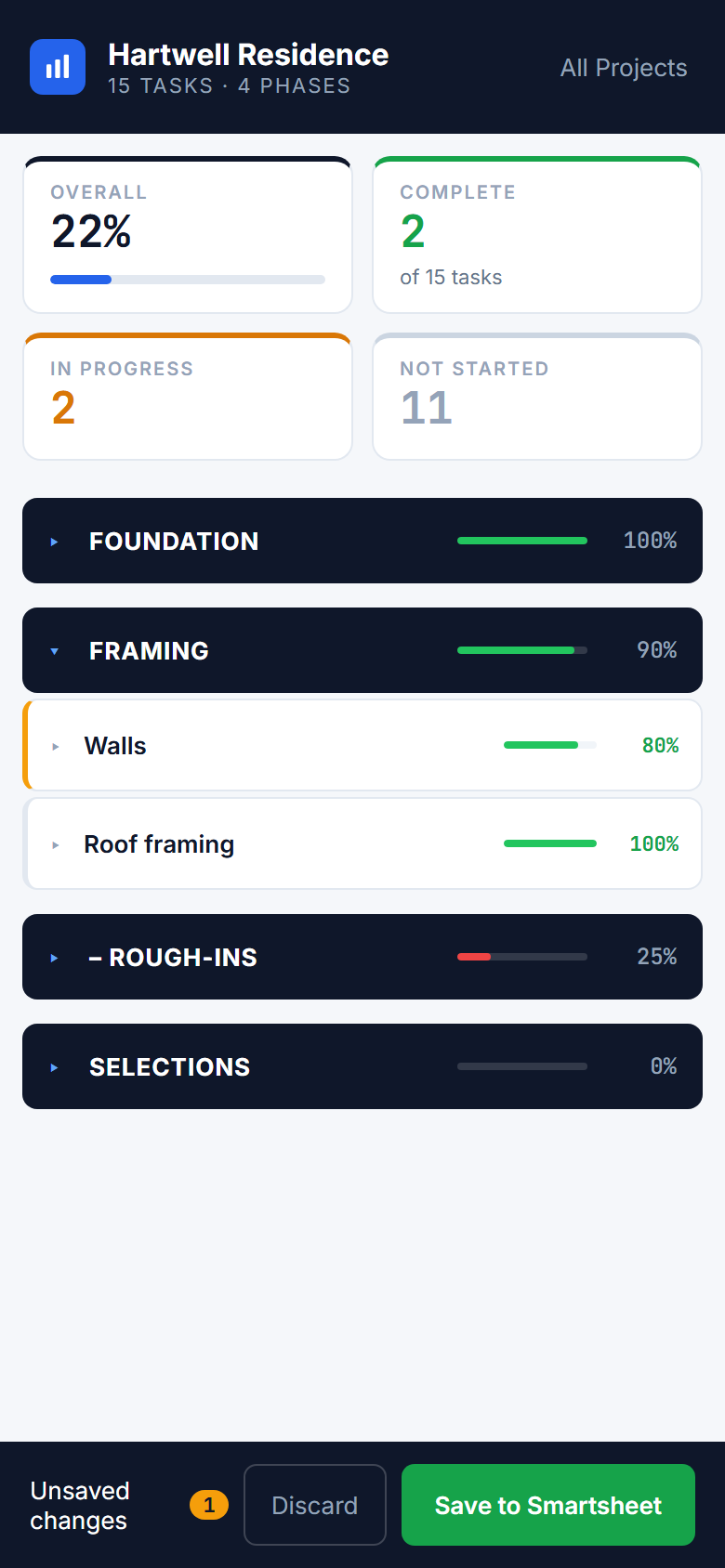
  • Five stages: Not started, Start process, In motion, Working, Complete
  • Every task grouped by phase
  • One save writes the batch to the sheet
  • It writes % Done and Stage. Nothing else.
Jobsite Tracker on a phone: overall progress, four phases with progress bars, the Framing phase open with its tasks, and Save to Smartsheet
Phase Detail

Open a phase. Tap each task.

Expand a phase to see its tasks and tap a stage on each one. Progress shows as you tap. Nothing goes to Smartsheet until he saves.
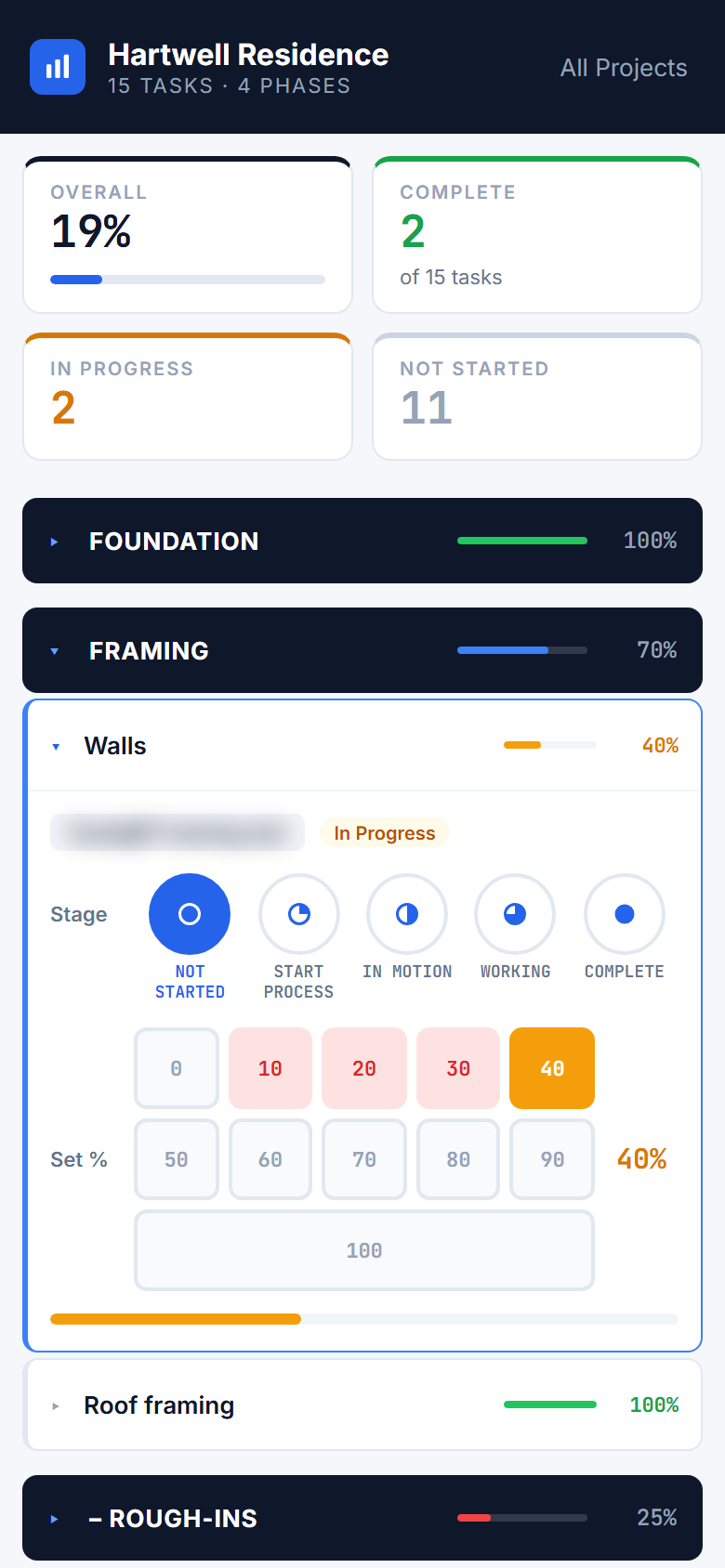
  • Expand any phase to see its task list
  • Tap a stage on each task line
  • Progress bars update as you tap
  • Save once to write the batch to the sheet
Jobsite Tracker with the Walls task open, showing its stage buttons and percent complete
Full View

Every task. Every phase.

Open every phase at once to see where the whole job stands.
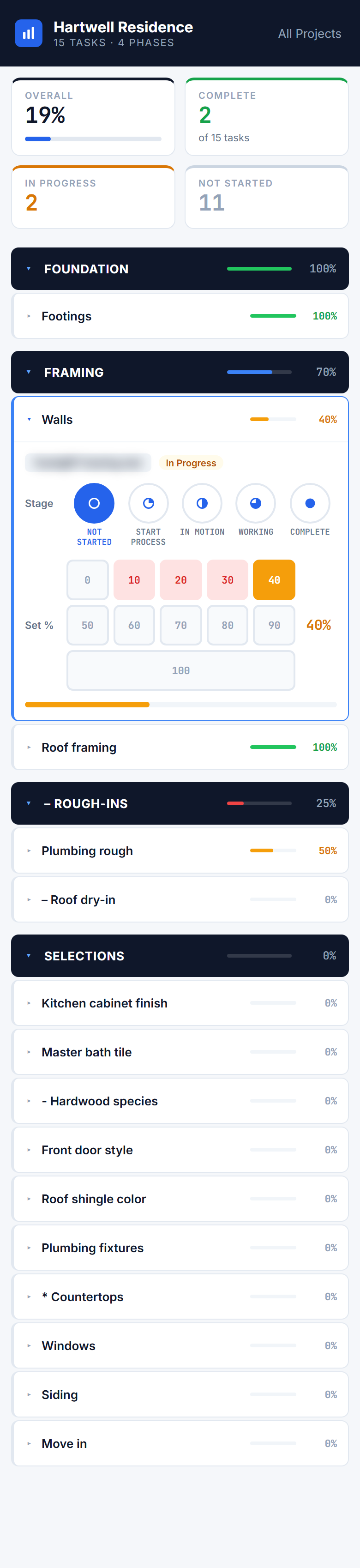
Jobsite Tracker with every phase open
Portal Control

Turn portals on and off per job.

Each job's client portal has a switch, a 4-digit PIN you can regenerate, an invite and a link to copy. Alerts, the weekly report and client uploads each have their own switch. Templates deploy with a click.
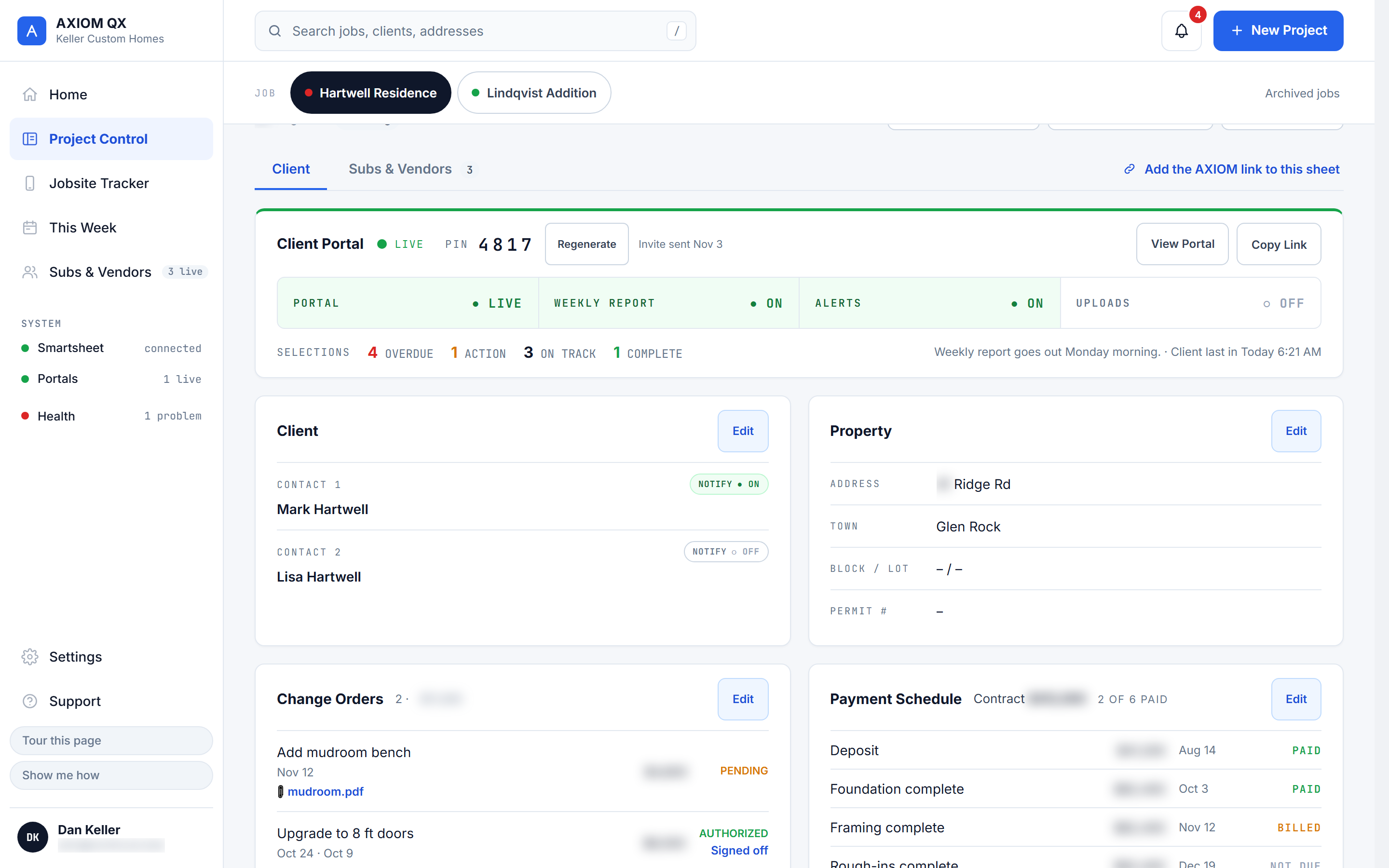
  • Turn the client portal on or off
  • Switch alerts, the weekly report and uploads for each job
  • Turn each sub or supplier portal on or off
  • Deploy templates and generate URLs on demand
  • Every change logged with a timestamp
Project Control for one job: client portal live with its PIN, and the portal, weekly report, alerts and uploads switches

Ready to run your operation like a system?

30 days free. Card required at sign-up. Nothing charged until day 31.

Start your free trial