Product
Client Portal Sub Portal Command Panel with Tracker™ Automation Templates Integrations
Learn
How It Works Why Best-of-Class Live Sheet Manual Smartsheet Manual FAQ AI Truth
Company
Pricing About Login
Client Portal

Your clients see everything. Without a single phone call.

A live portal for every project. Schedule, payments, documents, selections. Works with Smartsheet.

Works with Smartsheet

Live Sync

Real data. Real time. Same numbers.

The builder updates Smartsheet. The portal updates with it. Same data, two views - no double entry, no copy-paste, no drift.
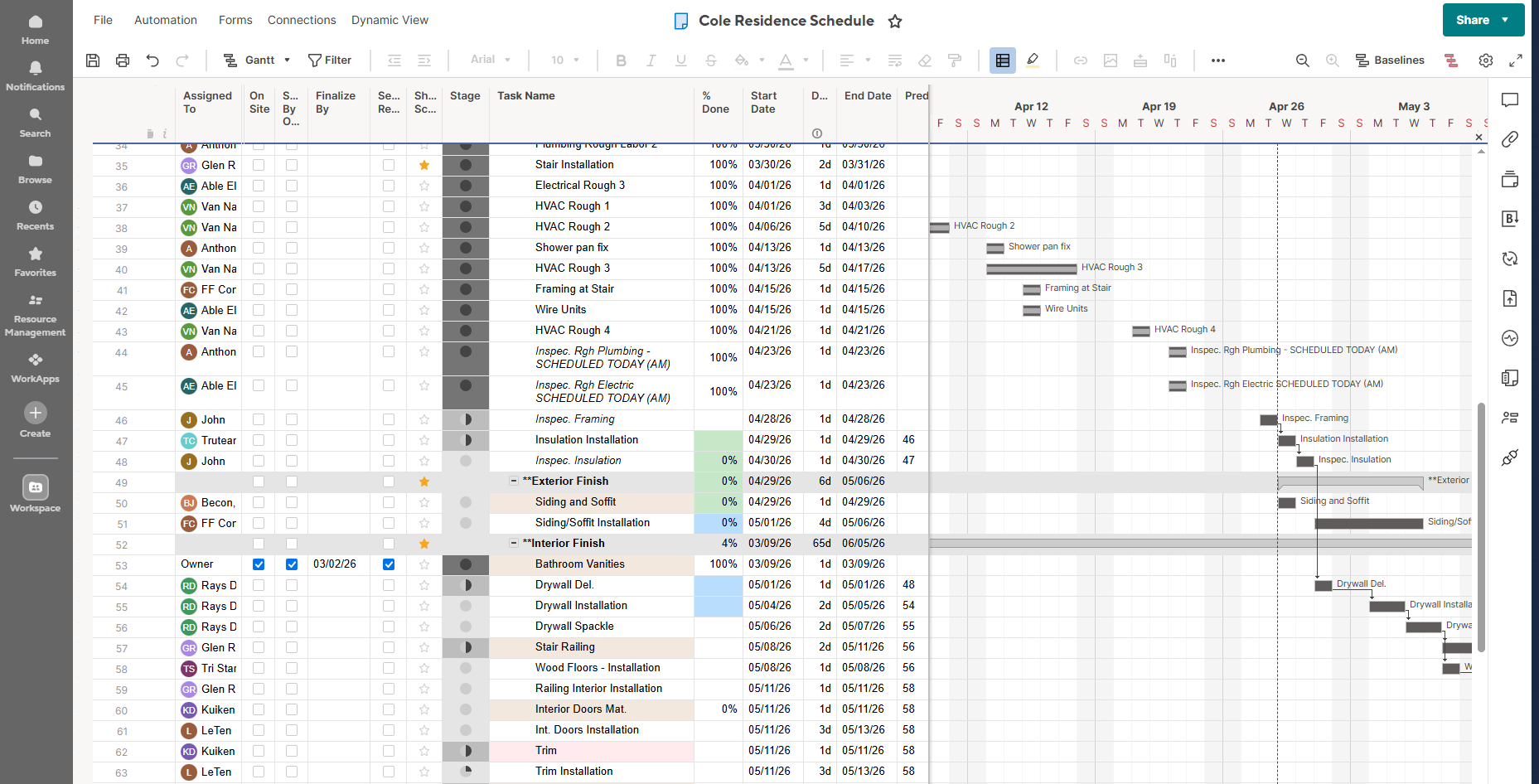
Smartsheet Gantt chart for the Cole Residence project
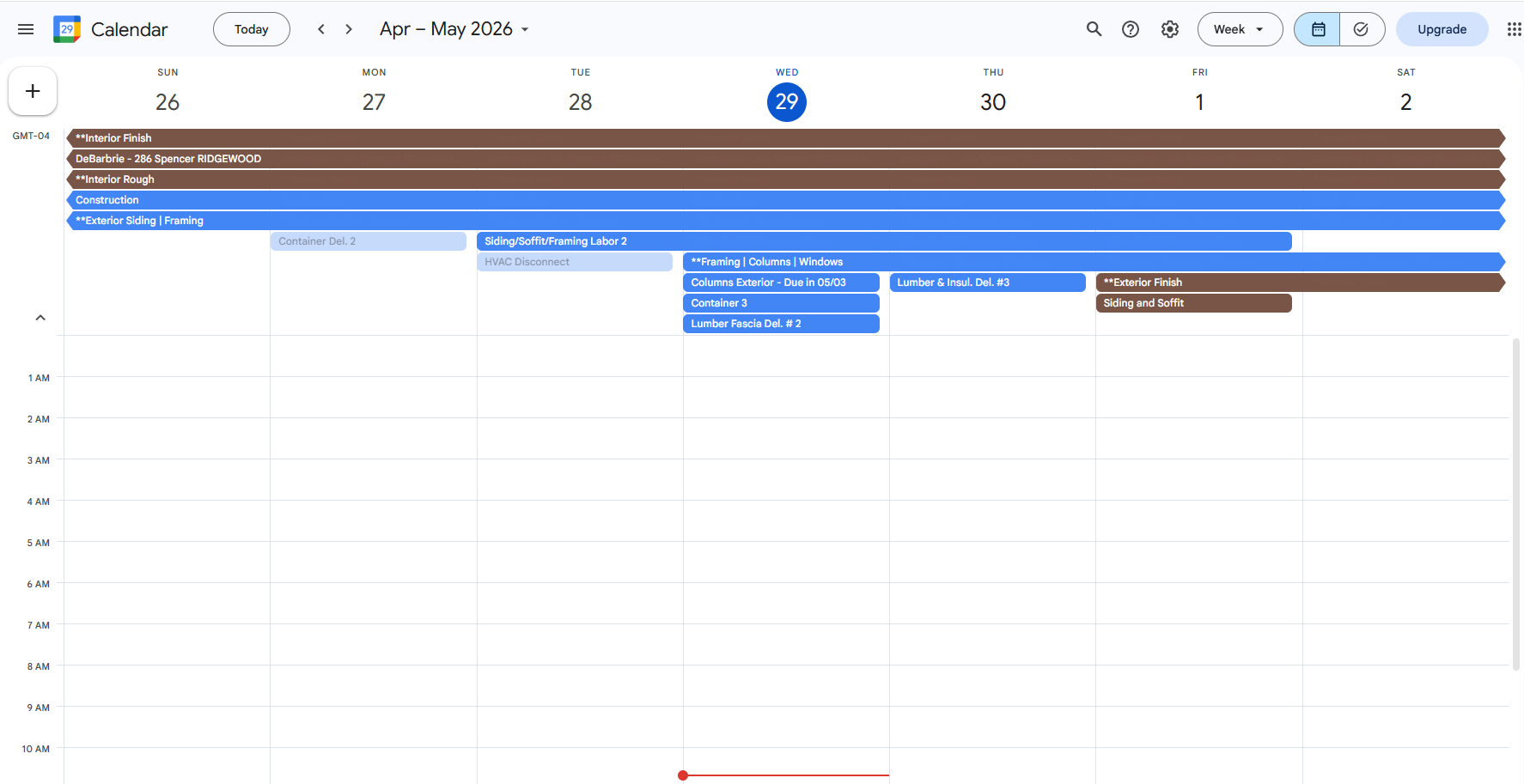
Google Calendar showing synced project events Syncs to Google Calendar
Live Data

Everything updates automatically from Smartsheet.

The builder works in Smartsheet like they normally do. The portal reads it and displays it to the client in real time.
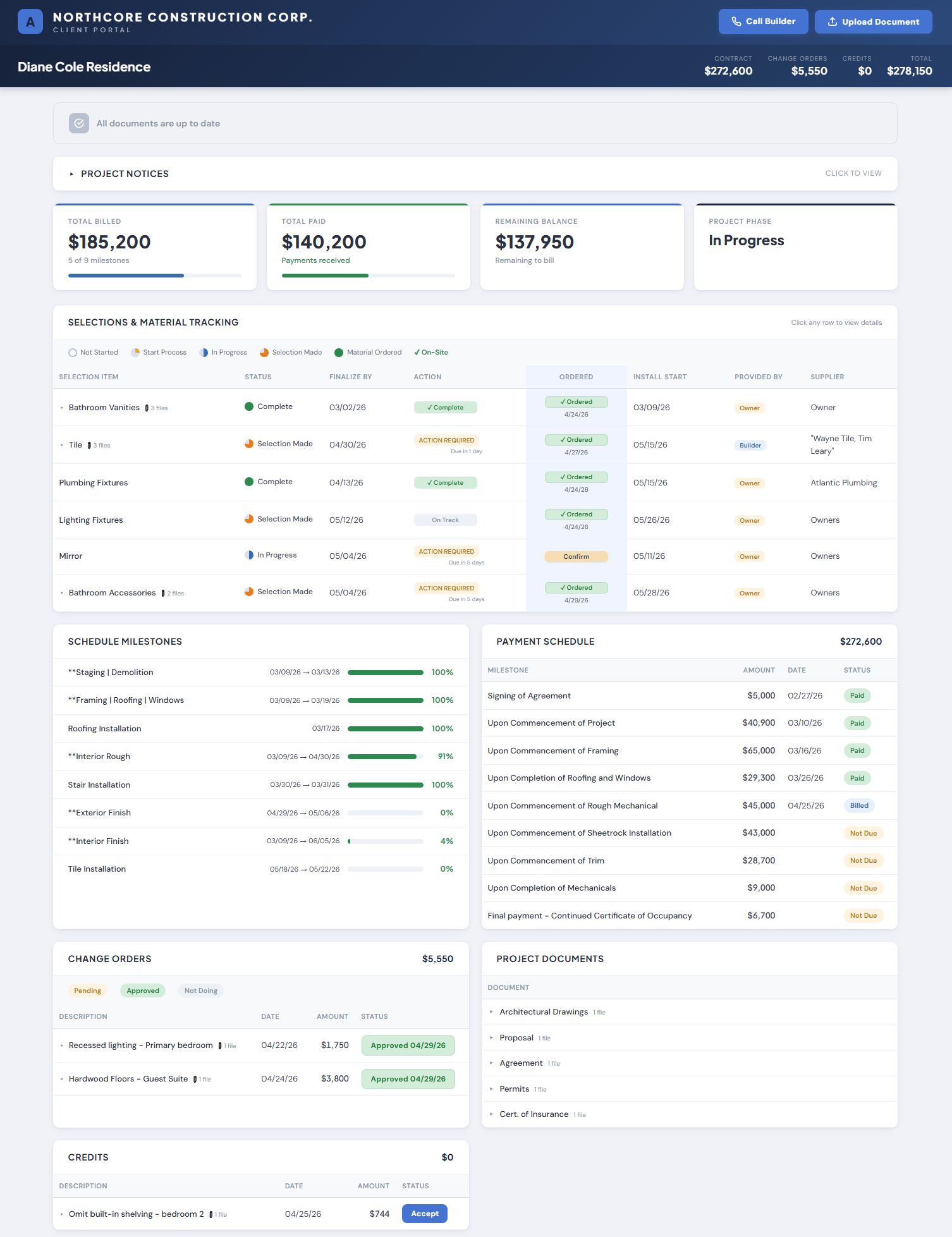
  • Live schedule with progress bars
  • Current financials - contract, paid, remaining, status
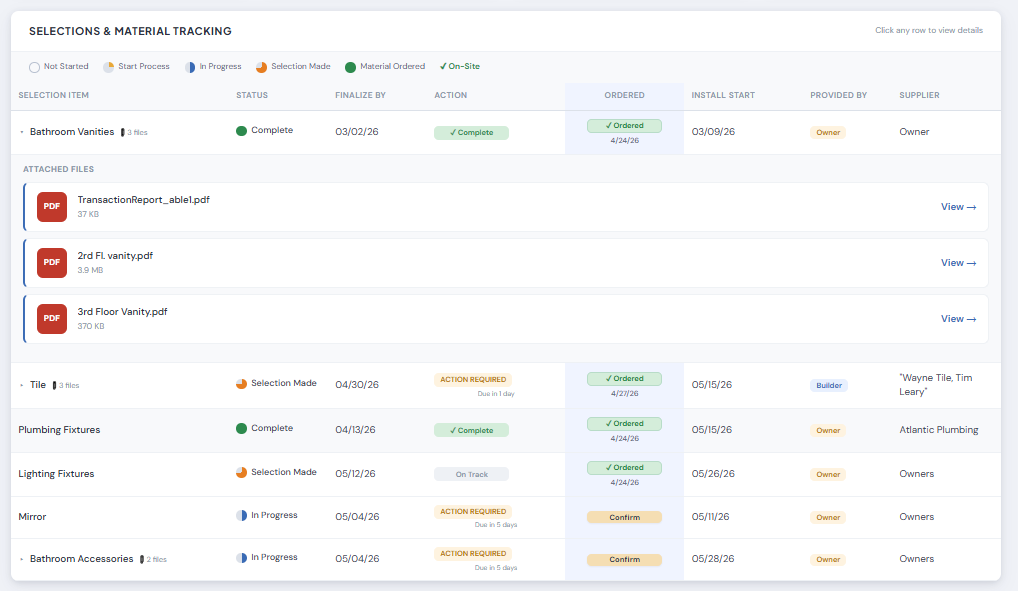
  • Selections tracking with color-coded deadlines
  • Payment schedule with draw amounts
  • Change orders and credits with client signatures
  • Project documents
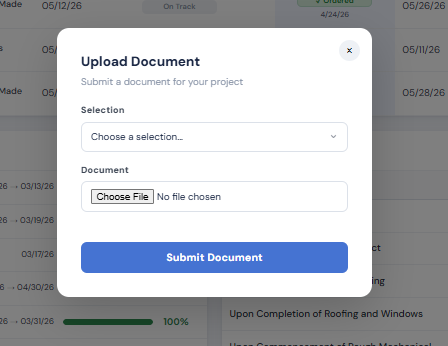
  • Document uploads with instant notifications
  • Project notices
Client Portal full view - schedule, financials, selections, payments, change orders, documents, and notices in one branded portal
Payments & Documents

Every draw, status, and amount visible in real time.

Documents upload with NEW badges. Branded notification emails fire automatically.
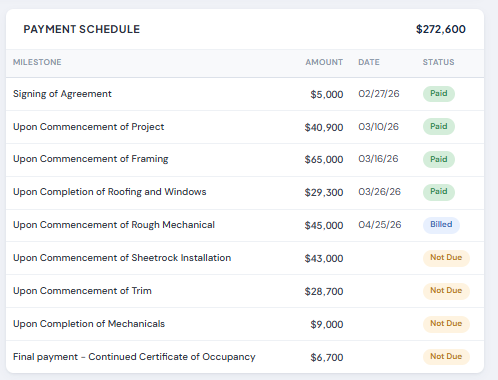
  • Payment schedule with status and amounts
  • Green NEW badges on recent uploads
  • View tracking synced across all devices
  • Branded notification email on every new document
Client Portal payments view - every draw, status, and amount in real time
Selections

Color-coded deadlines. Automated escalation.

Green complete, yellow action required, red overdue. 5-tier escalation runs on autopilot.
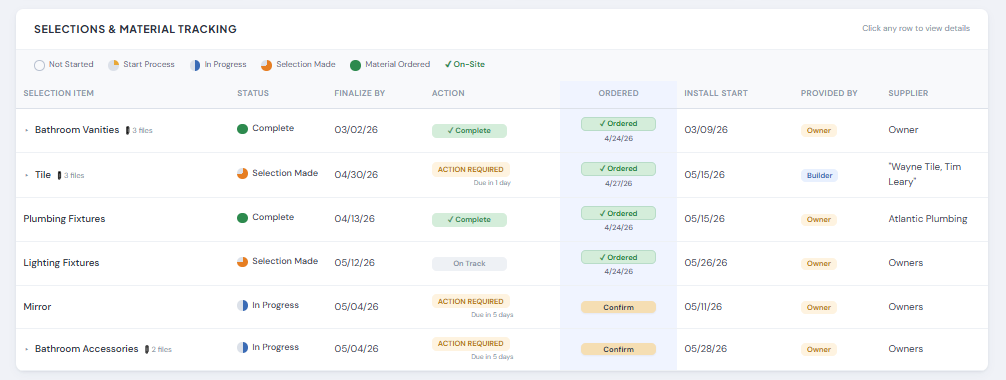
  • Deadline dates with color-coded status
  • 7-day, 3-day, and overdue alerts
  • Client and builder notified automatically
  • Completion confirmations with install dates
Client Portal selections - color-coded deadlines with automated escalation
KPI Cards

The numbers that matter, on every login.

Project KPIs sit at the top of every portal. Days remaining, payment progress, open selections, decisions outstanding. Clients see the state of their project the second they open the link.
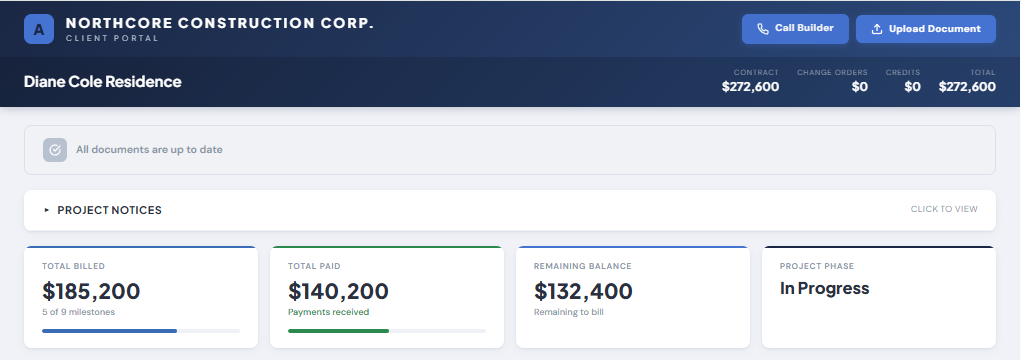
  • Days to completion vs. original target
  • Payment-to-date and remaining balance
  • Open selections and decisions due
  • Pulled live from Smartsheet on every page load
Client Portal KPI cards - days remaining, payment progress, open selections
Selection Detail

Every choice tracked. Every deadline visible.

Each selection has its own card with status, due date, and the chosen item. Clients see exactly what they've decided, what's pending, and what's coming up next. No more "what did we pick for the master bath?"
  • Itemized list of every client selection
  • Status pills: pending, action required, complete
  • Final selection name surfaced once chosen
  • Install dates locked in on completion
Selection items full view - itemized list with status and due dates
Change Orders

Pending, approved, declined. All visible.

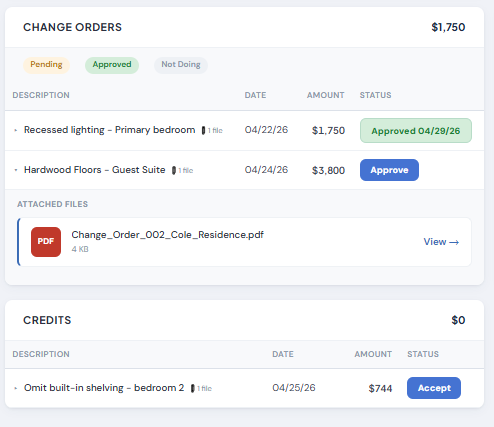
Every change order and credit posted to the portal. Amount, date, status, and the scope description. Clients sign off digitally and the record stays attached to the project. No more "I never agreed to that."
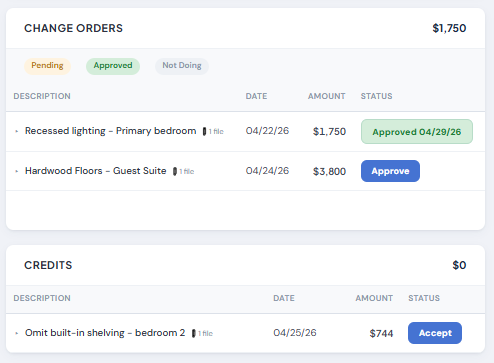
  • Pending, approved, and not-doing statuses
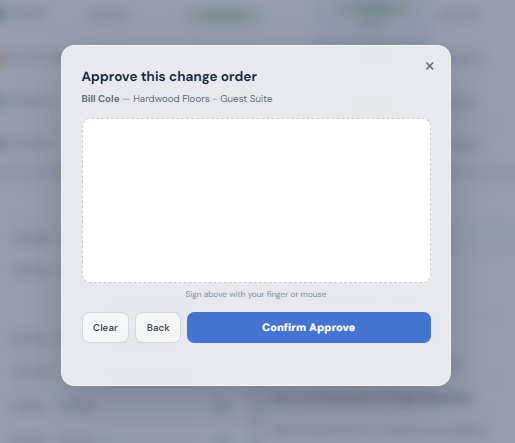
  • Digital signature capture on approval
  • Running totals against contract value
  • Credits visible alongside additions
Change Orders and Credits - pending, approved, and declined statuses with amounts
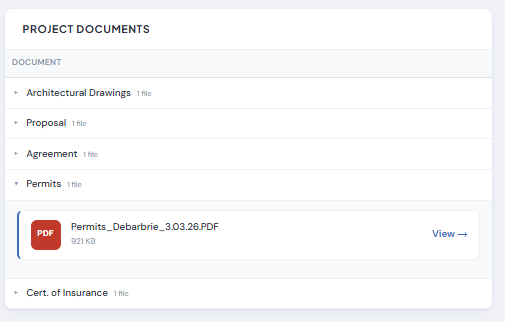
Documents

Every plan, permit, and detail in one place.

Drop a file in Smartsheet. The portal picks it up instantly with a green NEW badge and a branded notification email. Clients view on their phone, the badge clears on their laptop. No version chains, no "did you get this?"
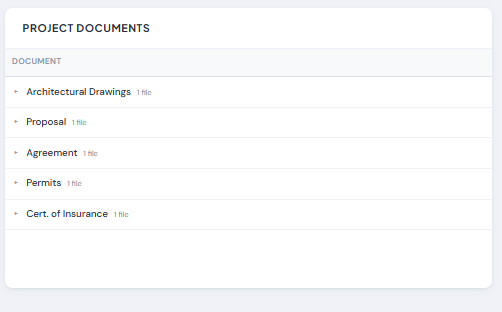
  • Files uploaded directly from Smartsheet
  • Green NEW badges on every recent upload
  • View tracking synced across devices
  • Branded notification email on every upload
Project Documents view - plans, permits, and details with NEW badges
Inside the Portal

Every interaction, designed for the client.

Selecting items, signing change orders, uploading documents - every flow is built for someone who has never used a project management tool.
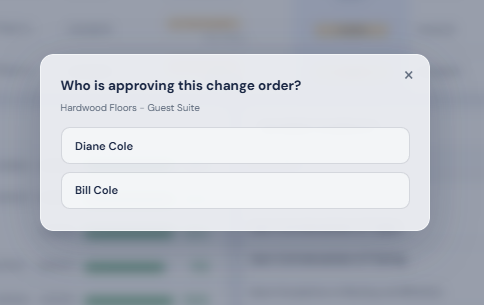
Selecting an item by name
Picking the final selection
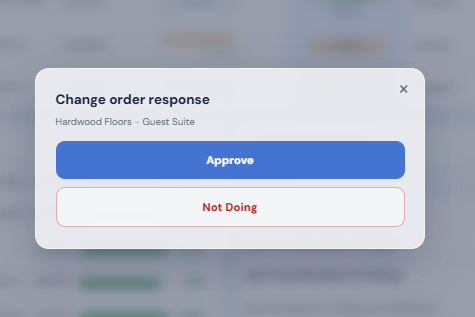
Approved and not-doing status pills
Approved and Not-Doing statuses
Selection card expanded for review
Selection card expanded
Change order detail expanded
Change order, expanded view
Blank digital signature panel for change order approval
Digital signature on approval
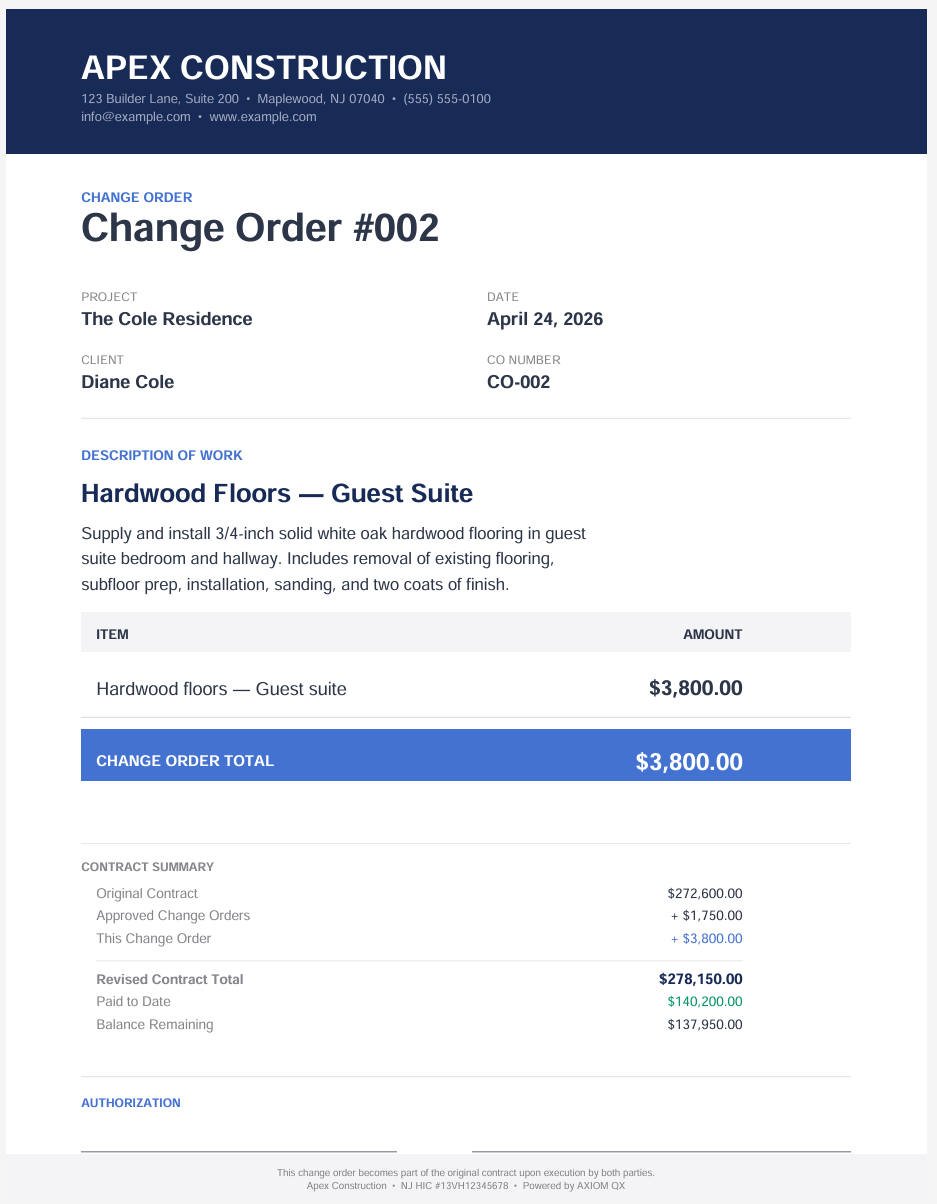
Second change order example with line items
Change order with line items
Document expanded with metadata
Document expanded
Builder uploading documents from the field
Uploads from the field
Feature

Change Orders & Credits

Pending, approved, not doing. All visible with amounts and dates. No disputes over what was agreed.

Feature

Project Notices

Post a notice directly to the portal in seconds. Clients see it immediately. No email chains.

Feature

Document Management

Green NEW badges on every upload. View tracking synced across devices. Branded notification emails.

Ready to run your operation like a system?

14 days free. No credit card. No obligation.

Start Free Trial